
Best 5 Wi-Fi Routers of 2026: Fast, Stable Home Internet Without Dead Zones


If your home Wi-Fi drops in the hallway, freezes video calls, buffers streaming apps, or lags during gaming, buying the fastest-looking router on the shelf may not solve the problem.
The real choice is scenario fit. Some routers win on headline speed. Some win on luxury mesh coverage. Some are built for gamers or technical users. But most households need a router that feels stable in real rooms, handles multiple devices smoothly, and does not turn setup into a networking project.
This guide focuses on practical everyday use: stable streaming, work-from-home calls, gaming, smart-home devices, wall coverage, simple setup, security, wired ports, mesh expansion, and value.

Elias Hart
With over 8 years of experience reviewing consumer networking gear, smart-home devices, and everyday connected technology, Elias Hart focuses on practical buying guidance rather than spec-sheet hype.
For this Wi-Fi router comparison, he prioritised real-room stability, coverage, multi-device handling, app setup, security features, wired flexibility, heat control, and value for normal home use.
What You Should Look For
Stable Speed in Real Rooms
A good router should keep streaming, calls, gaming, and browsing smooth when several people are online, not only post a big lab-speed number.
Coverage That Handles Walls and Dead Zones
Antenna design, signal management, and mesh options matter when bedrooms, home offices, or upstairs rooms sit far from the router.
Multi-Device Stability
Modern homes often connect phones, laptops, TVs, cameras, speakers, consoles, thermostats, and tablets at once. OFDMA and MU-MIMO can help reduce congestion.
Simple Setup and Security
Look for clear setup, firmware support, encryption, firewall protection, guest networking, and controls that normal households can understand.
Wired Ports and Expansion
Ethernet ports matter for gaming PCs, consoles, TVs, workstations, and NAS devices. Mesh compatibility also matters if you may expand coverage later.
What to Avoid
Chasing Specs You Won't Feel
A bigger advertised speed class can look impressive, but it matters less if your devices, internet plan, or home layout cannot turn it into better real-room performance.
Weak Security and Old Firmware
Avoid outdated routers with poor firmware support, weak encryption, or unclear update history. A cheap router can become expensive if it creates risk.
Overkill Mesh Kits for Average Homes
Premium mesh systems can be excellent, but many apartments and average homes do not need a costly multi-unit setup.
Confusing Advanced Firmware
Deep controls are useful for technical users, but they can frustrate families who mainly want a stable network that is easy to manage.
Limited Ethernet Options
Too few LAN ports can create problems for wired gaming, workstations, NAS devices, smart TVs, or multi-gig setups.
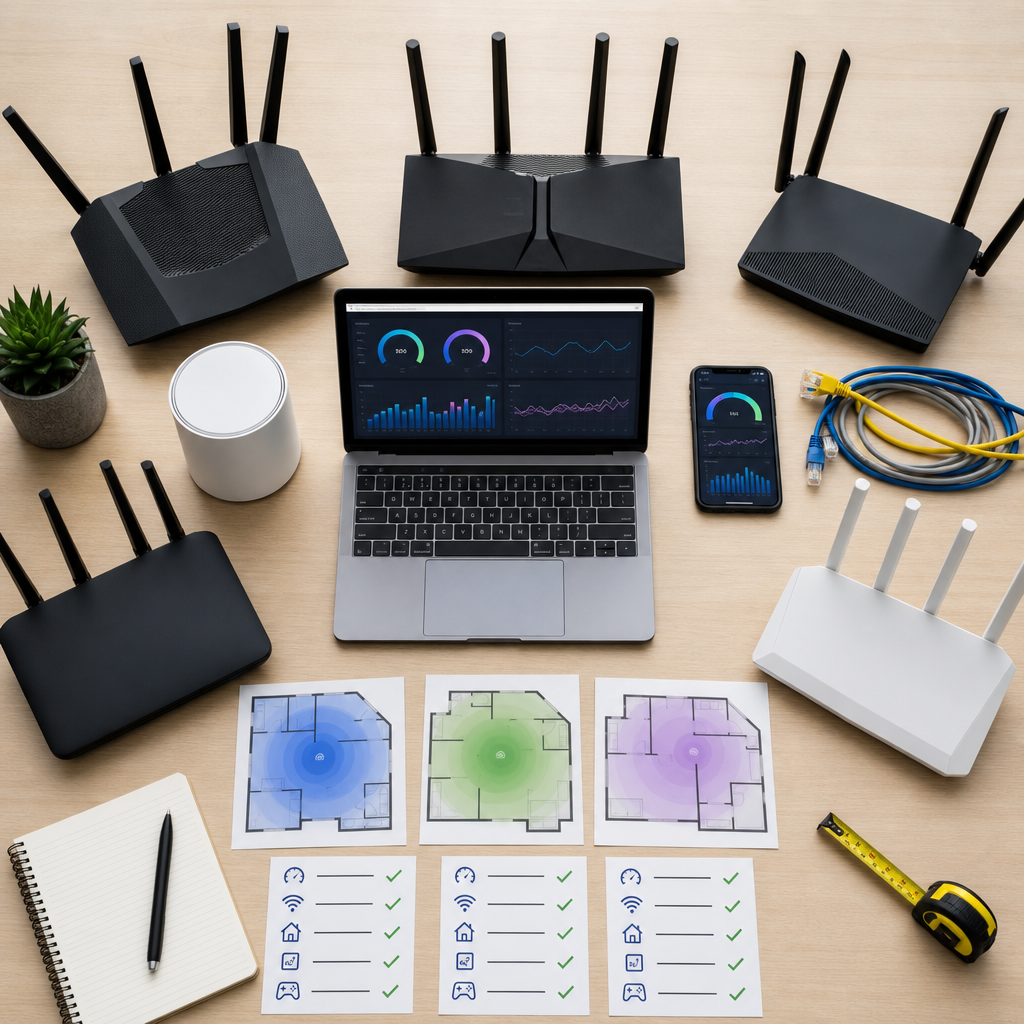
Big-name router brands can be excellent, but the trap is buying the wrong specialist solution: a luxury mesh system for an average home, a gaming router when nobody wants to tune settings, or a custom-router platform that feels intimidating after setup.
That is why we rate Smaven around practical home value instead of chasing the most extreme spec sheet. The best home router should feel stable, easy to set up, secure enough for everyday family use, and strong enough for streaming, work calls, gaming, phones, laptops, smart TVs, and smart-home devices without becoming a complicated networking project.
We Evaluated Wi-Fi Routers Based on 10 Criteria
- Speed Stability
- Coverage Strength
- Wall Penetration
- Multi-Device Handling
- Setup Ease
- Security Features
- Wired Ports
- Mesh Expansion
- Heat Control
- Value for Money
We followed the same persuasion logic as the strongest comparison pages: judge routers by what buyers actually feel at home, not by the newest label or the biggest lab-speed number. The best pick should reduce dead zones, buffering, dropped video calls, smart-home dropouts, and evening congestion without making setup complicated.
Quick Buying Guide
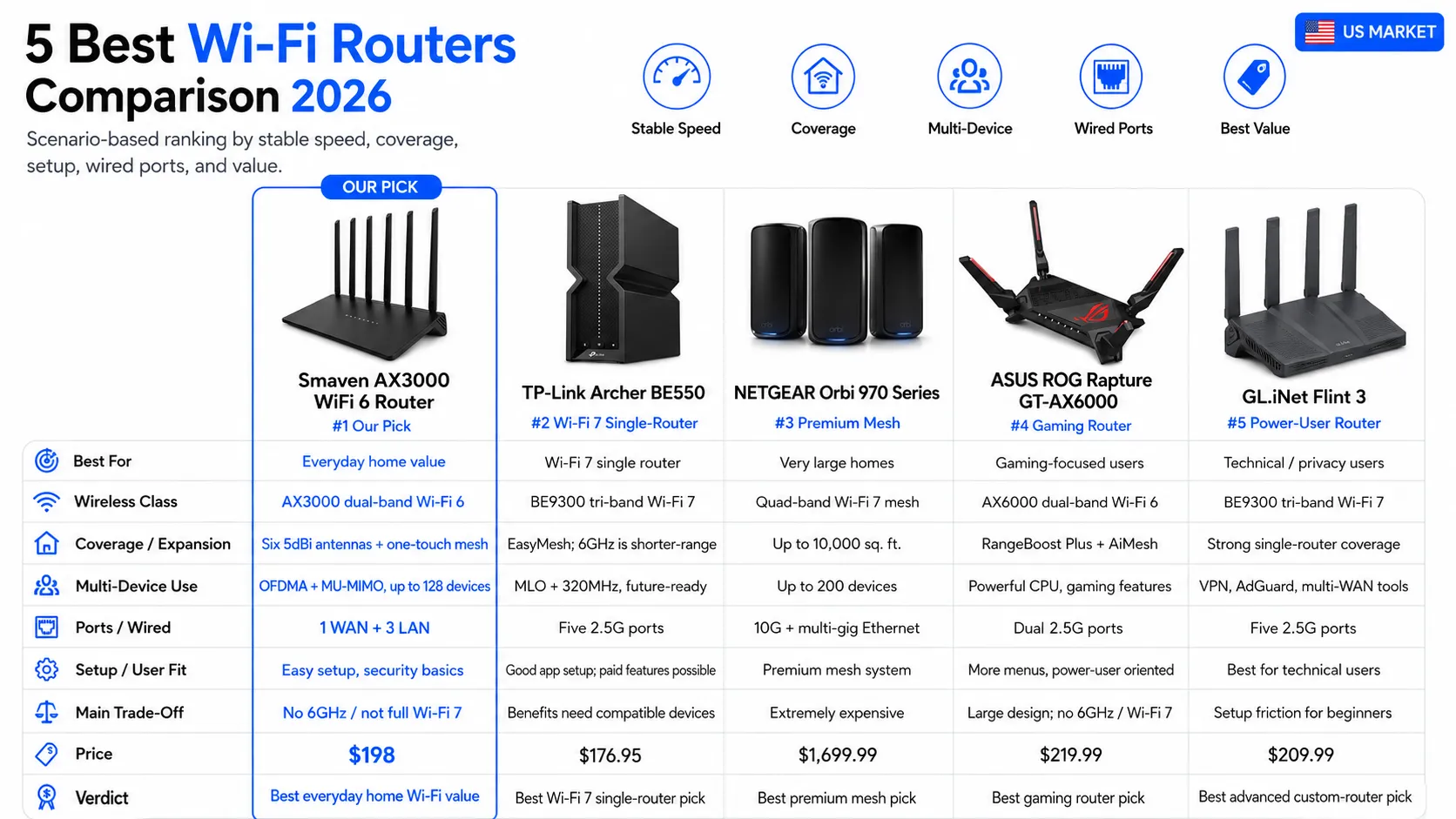
Choose TP-Link if you want a fast single-router with lots of wired ports. Choose NETGEAR Orbi if you have a very large home and want a luxury mesh system. Choose ASUS if gaming controls matter most. Choose GL.iNet if you are a technical user who wants VPN/custom-router flexibility.
For most US buyers who want stable everyday Wi-Fi, simple setup, mesh expansion, security basics, and strong value, Smaven AX3000 Router is our top pick.
1. Smaven AX3000 Router

PROS
AX3000-class dual-band performance for streaming, gaming, work calls, and smart-home use
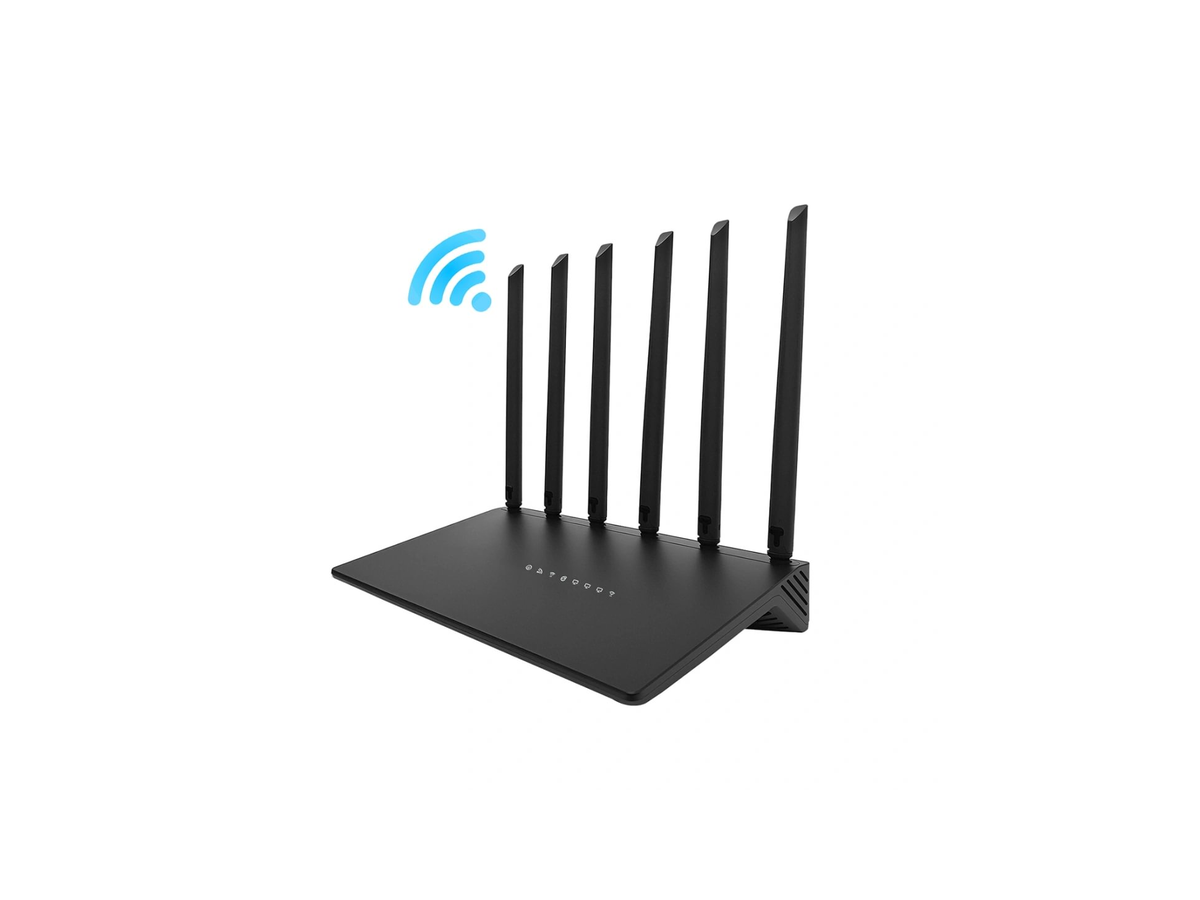
Six 5dBi omnidirectional antennas help reduce weak-room frustration in everyday layouts
OFDMA and MU-MIMO help the network feel smoother when many devices are online
Supports up to 128 connected devices for busy family and smart-home setups
One-touch MESH networking gives users a simple path to expand coverage later
Encryption support and firewall functionality help protect basic home-network privacy
1 WAN + 3 LAN ports support wired PCs, consoles, TVs, or workstations
Cleaner everyday setup path than power-user routers packed with advanced menus
Cooling-focused build helps maintain stability during longer sessions
Best balance for buyers who want practical reliability, not just the lowest sale price
CONS
Not always the cheapest sale-price option in the category
Very large or multi-floor homes may still need mesh expansion
Review
Smaven AX3000 Router is our top pick because it solves the problems most households actually complain about: weak rooms, evening congestion, frozen video calls, smart-home dropouts, gaming lag, and confusing setup. Its AX3000-class dual-band platform, six 5dBi antennas, OFDMA/MU-MIMO support, one-touch mesh expansion, WPA2/WPA3 security, 1 WAN port, and 3 LAN ports make it feel purpose-built for normal homes rather than spec-sheet bragging. It is not simply trying to win the lowest-price contest. It wins because it gives everyday buyers a clearer balance of coverage support, multi-device stability, setup simplicity, security basics, wired flexibility, and a sensible $198 direct price. That is the kind of value people feel every day, not just a number on a box.
2. TP-Link Archer BE550

8.9
PROS
High-speed tri-band platform for demanding home networks
Extra band support for compatible newer devices
Five 2.5G ports for strong wired setups
EasyMesh compatibility helps expand coverage later
Strong app-based setup and management through TP-Link Tether
CONS
Performance is more placement-sensitive in larger homes or through several walls
Some HomeShield security and parental-control features require an added subscription
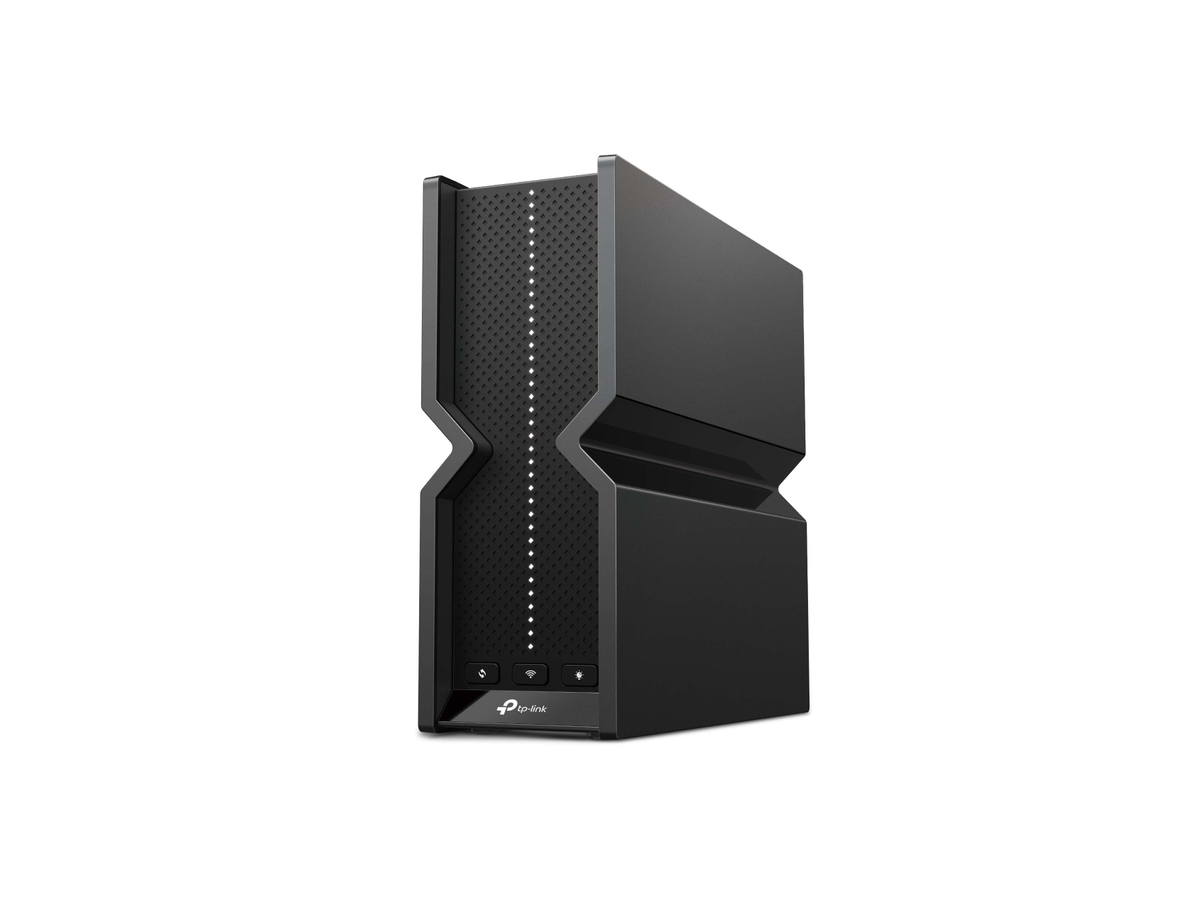
Tall upright chassis is less flexible for shelf or media-console placement
The upgrade is harder to justify if most client devices are older
Review
TP-Link Archer BE550 is a credible option for buyers who prioritise raw speed and stronger wired flexibility. The concern is not capability but fit. In practice, it is more placement-sensitive than its headline specs suggest, some of the software value sits behind HomeShield tiers, and households with mostly older phones, laptops, and TVs may not see a proportionate improvement in daily use. That is why it ranks behind Smaven. Smaven presents the steadier value case for typical households focused on coverage consistency, straightforward setup, and fewer added costs after purchase.
3. NETGEAR Orbi 970 Series


9.0
PROS
Flagship quad-band mesh system built for very large homes
Up to 27Gbps speed class with premium backhaul design
Can cover up to 10,000 sq. ft. with router plus satellites
Supports up to 200 connected devices
10G and multi-gig Ethernet options
CONS
Its price is far above what most households need to spend on home Wi-Fi
The full system makes more sense for very large or multi-floor homes than average layouts
Router and satellite units require more space, more outlets, and more planning
Some security features add ongoing cost through Armor tiers
Review
NETGEAR Orbi 970 Series is the premium option in this comparison, and its performance profile is clearly aimed at large, demanding homes. The question is not whether it is powerful enough, but whether most buyers need that level of system. For many households, the combination of very high upfront cost, added service tiers, and a larger multi-unit setup will feel disproportionate to the actual problem they are trying to solve. It remains an impressive mesh platform, but Smaven ranks higher for general buyers because it addresses common coverage and stability issues without pushing them into a premium whole-home investment.
4. ASUS ROG Rapture GT-AX6000

8.6
PROS
AX6000 dual-band performance
Dual 2.5G ports with flexible WAN/LAN use
2.0GHz quad-core CPU supports demanding routing tasks
ASUS RangeBoost Plus helps improve coverage
Game acceleration and AiMesh features suit power users
CONS
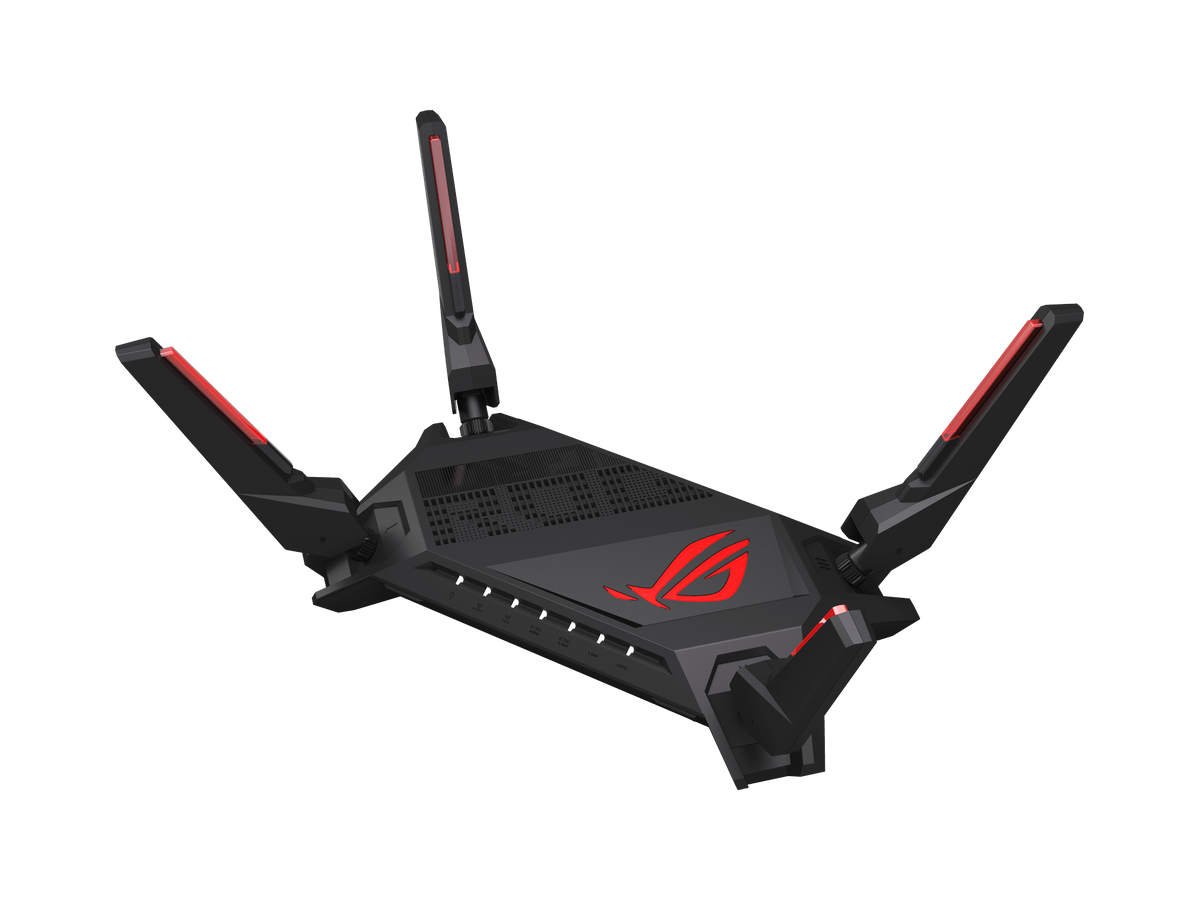
Bulky gamer styling is harder to place in shared living spaces
The interface and feature set ask for more user involvement than most households want
Its price is harder to justify for general streaming, browsing, and video calls
Much of its advantage depends on regularly using gaming-focused features
The larger chassis takes up more shelf space than a typical family router
Review
ASUS ROG Rapture GT-AX6000 is a capable router with clear appeal for gamers and enthusiasts, especially if they will use its traffic controls and tuning tools. The issue is that its strongest advantages are relatively narrow. For a general household, the larger chassis, gaming-first design, and heavier management layer can feel disproportionate to the actual benefit in everyday streaming, browsing, and video calls. Smaven ranks higher because it addresses the same reliability priorities in a more neutral, family-friendly package.
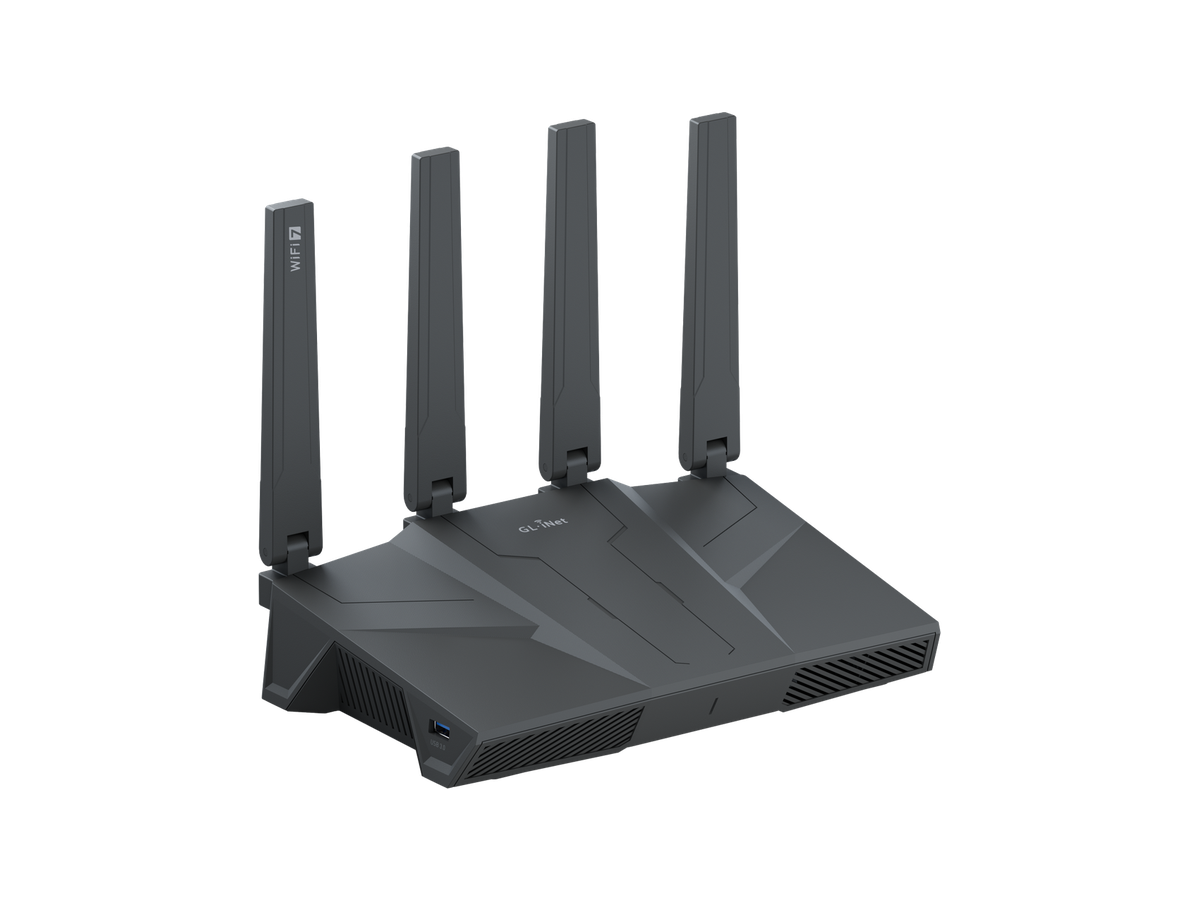
5. GL.iNet Flint 3

8.2
PROS
High-speed tri-band hardware
Five 2.5G Ethernet ports
Built-in VPN support and advanced network tools
AdGuard Home, parental controls, and multi-WAN failover
Strong fit for technical users and privacy-focused buyers
CONS
Its interface and feature set are better suited to technical users than typical families
The setup is less straightforward if you only want a simple home network
Mesh expansion is not as clear or family-friendly as mainstream systems
Some of its value depends on actually using VPN, multi-WAN, or advanced controls
It is a harder product to recommend as a simple set-it-and-forget-it router
Review
GL.iNet Flint 3 has a strong feature set for buyers who actively want VPN controls, traffic management, and deeper network customisation. That is also the reason it stays in fifth place. For a general household, the platform asks for more involvement than most people want from a router, and part of its value only shows up if those advanced tools will actually be used. It is a better fit for enthusiasts and privacy-focused users than for families looking for a straightforward upgrade. Smaven ranks higher because it delivers a clearer everyday value story with less setup friction.
Key Features & Advantages: Smaven AX3000 Router
AX3000-Class Wireless Performance:
Dual-band performance is a practical fit for streaming, work calls, gaming, phones, laptops, smart TVs, and connected-home devices.
Six 5dBi Antennas:
The six-antenna design helps push signal across common rooms and reduce weak spots compared with basic entry routers.
Multi-Device Handling:
OFDMA and MU-MIMO support help the network stay smoother when multiple family members are online at the same time.
One-Touch MESH Expansion:
If one router is not enough later, mesh support gives users a simpler path to extend coverage.
Security and Wired Basics:
Encryption, firewall protection, 1 WAN port, and 3 LAN ports cover the essentials for everyday home networks.
Scenario-Fit Value:
Premium routers still win specialist lanes, but Smaven gives everyday buyers the strongest balance of coverage, features, and $198 price.
How we tested
1. Everyday Speed and Stability
We compared how each router fits normal household use: streaming, video calls, gaming, browsing, smart TVs, and busy evening traffic.
2. Coverage and Wall Handling
We looked at antenna design, band behavior, mesh options, and whether the product is positioned for real rooms instead of only headline speed.
3. Multi-Device Home Use
We gave credit to routers with OFDMA, MU-MIMO, strong device-count support, and features that reduce congestion when many devices are connected.
4. Setup, Security, and Ports
We considered setup difficulty, firmware/security features, parental controls, guest networking, WAN/LAN options, and wired flexibility.
5. Scenario-Fit Value
Specialist products can win specialist use cases, but our ranking rewards the best practical fit for everyday US buyers.